Description: This module offers access to your voicemail box, allowing you to listen to the received messages, read their transcriptions, and perform additional actions.
The Voicemails module serves as a voicemail box, displaying a feed of voicemail messages you have received.
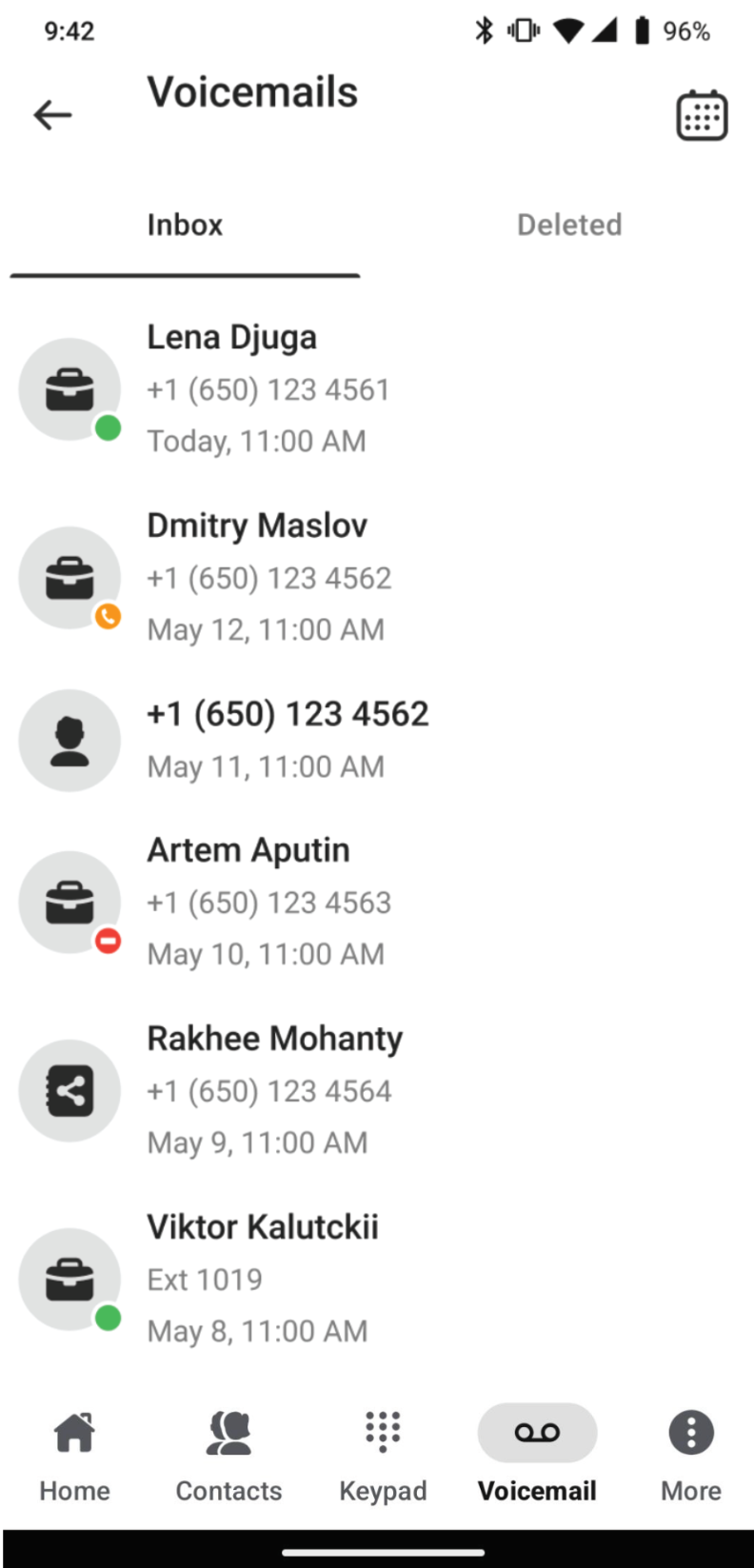
Clicking on any message opens a pop-up window with several functional elements and buttons:
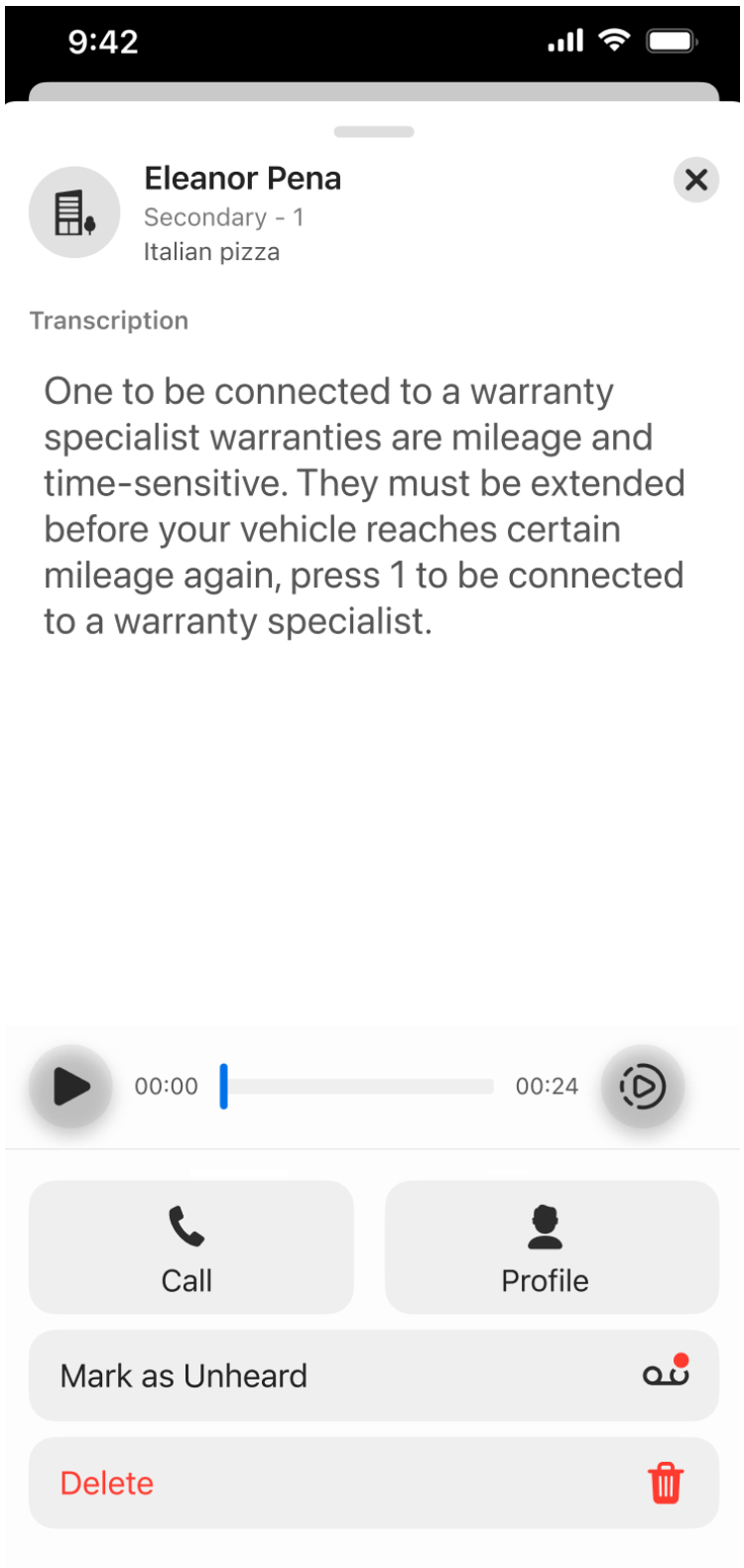
- Top Line: displays the sender’s name and the date.
- Transcription: shows the automatically generated transcription of the voicemail.
- Play Button: allows you to play the voicemail.
- Playback Speed: adjust the playback speed of the message.

- Call: initiates an immediate call to the voicemail sender.
- Profile: opens the voicemail sender’s personal card.
- Mark as Unheard: labels the message as unheard.
- Delete: deletes the voicemail, moving it to the “Deleted” tab, where it stays for 30 days before being permanently erased.
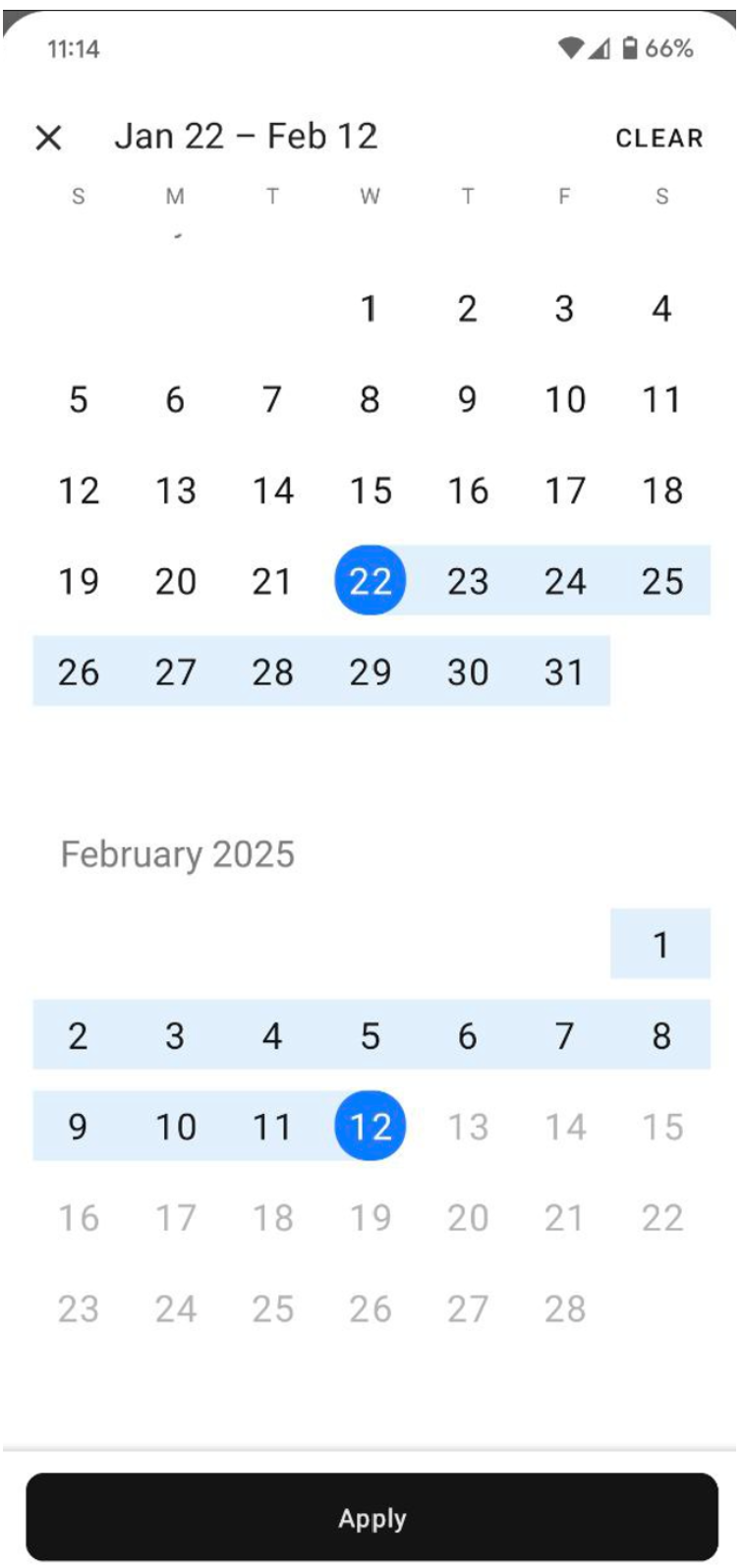
Clicking the Calendar button in the main menu of the Voicemails module opens a calendar, allowing you to select two dates to filter your voicemail message search between them.
Was this article helpful?
That’s Great!
Thank you for your feedback
Sorry! We couldn't be helpful
Thank you for your feedback
Feedback sent
We appreciate your effort and will try to fix the article